Growing ad
The ad has no size constraint and therefore increases according to the amount of text. The lower text frames move according to the amount of text entered in the upper text frame.

An example for a family announcement ad (two-columns, growing).
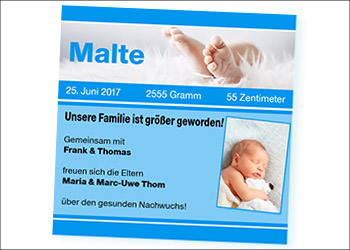
The following features of Stylo can be tested easily in this example of a birthday ad:
The ad has no size constraint and therefore increases according to the amount of text. The lower text frames move according to the amount of text entered in the upper text frame.
No placeholder text was specified in this ad. Just highlight the text and overwrite it. Compare this type of input with the one in our example for the wedding ad.
If you activate the icon for the special characters in the toolbar, the control characters are aded in the text. You can then recognize that fixed exclusions were used. Stylo offers, among others, em space, en space, quarter space and figure space.
When you create templates, you can control which users can make changes and at which point in the advertisement. In this example, users are not allowed to change the size and position of the graphic elements. In addition, settings such as fonts, font styles and font sizes can also be set in such a way that a user can only make minimal changes or cannot make any changes at all.
Click into the ad and change text, images and design just as your advertisers would in your own portal.
Interactive, digital or for print: Stylo brings every tool for ad design together in one editor.