
Graphics
Drawing
Tools for shaping
Text boxes
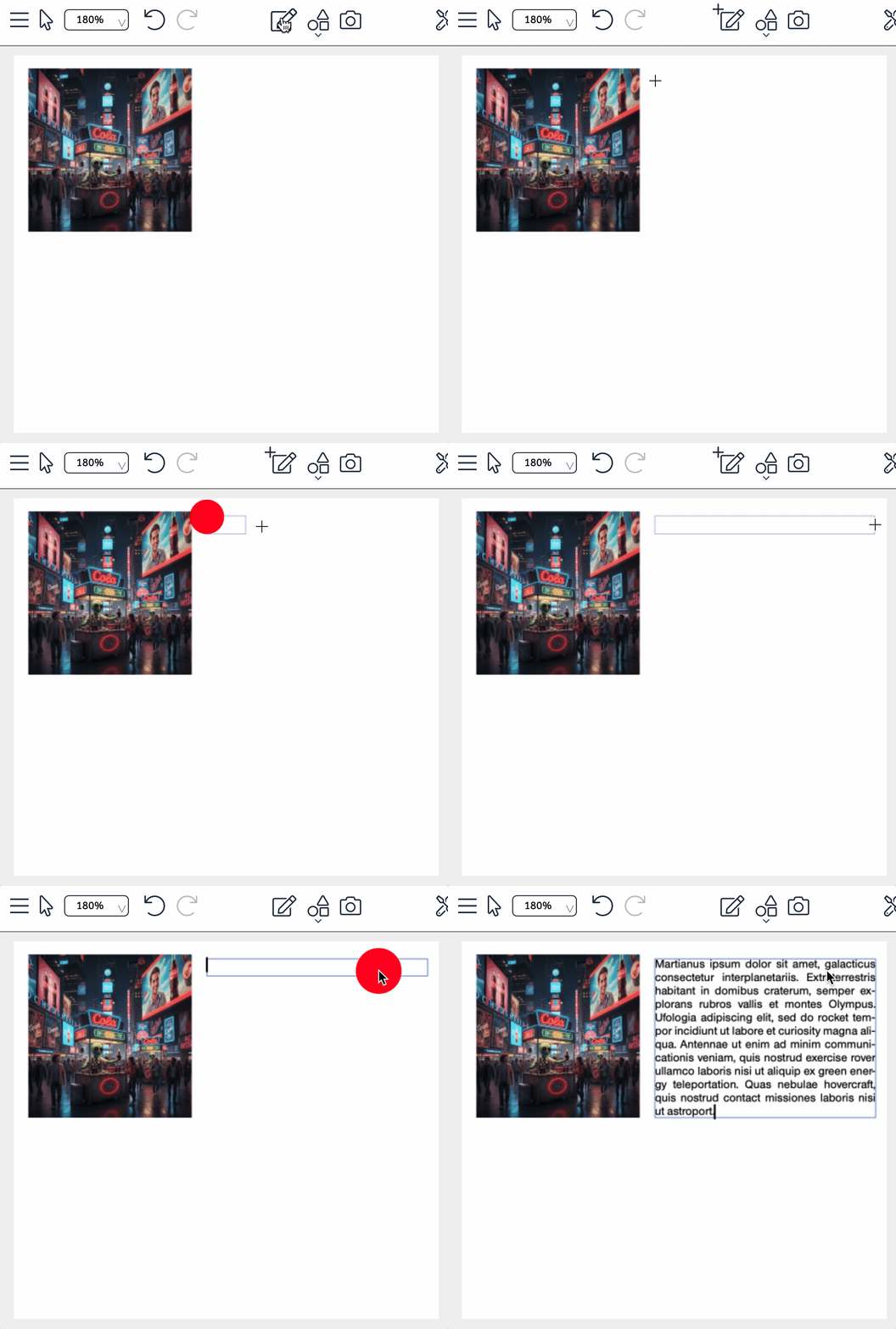
The text frame tool lets you create new text containers that match your requirements exactly. You have full control over their size and position. By default these frames are flexible in height, which means they adapt automatically to the amount of text you paste or type. Surrounding content is rearranged intelligently, because objects below are moved down to make room.
The extensive formatting options let you tailor the text precisely: typeface, size, colour or alignment - you shape the text exactly as you want it.
Standard graphic tools
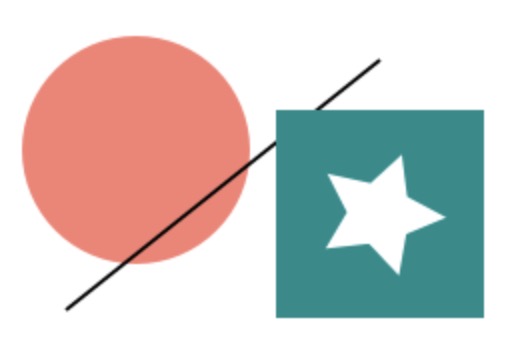
Stylo's standard tools are the ellipse, the line, the rectangle and the star. What they have in common is that you simply drag them open and edit their shape with standard functions. Size and position can of course be set for every object. Beyond that you can define the design of the fill and the outline, and for rectangles and stars the corner shape as well.
Free polygons
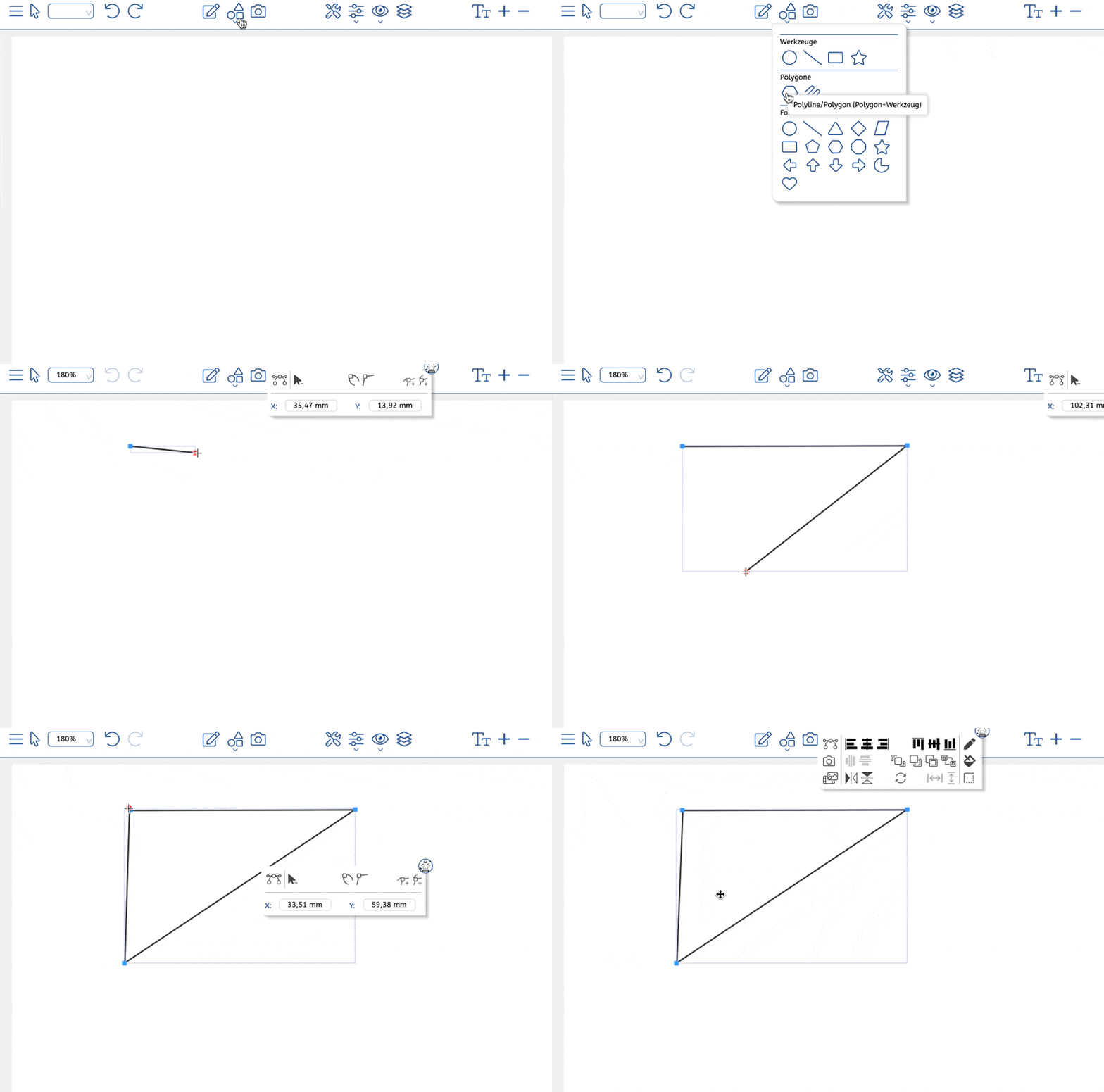
The polygon tool under „New objects“ opens up almost unlimited scope for free polygons. Unlike rectangles, ellipses or predefined polygons, here you set every single point yourself - maximum creative freedom included.
Click with the left mouse button to place the vertices of your polygon on the canvas. A double-click ends the sequence and creates the polygon, as flexible as you need it. Particularly handy: if your pointer is near the starting point on that final double-click, the polygon closes automatically and forms a complete shape.
This approach lets you realise individual shapes entirely to your own design - ideal for creative layouts, special graphics or unusual elements in your projects.
Shapes
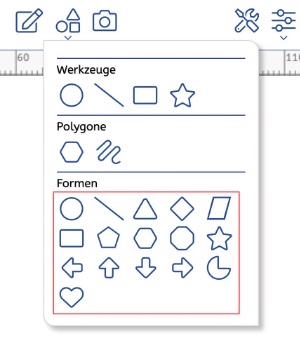
The polygon objects in Stylo give you a wide range of design options. Under „Shapes“ you will find various polygon variants that you can activate in the Configurator. Standard drawing objects can also be edited flexibly as polygons.
Polygon objects are not only ideal for creative work, they also serve well as clipping tools for cutting out specific areas of an image. A wide choice of fill options with colours and gradients gives you additional room to make your designs distinctive and appealing.
Learn more
You might also be interested in
Stylo in use
Arrange a consultation →
From draft to finished ad.
Interactive, digital or for print: Stylo brings every tool for ad design together in one editor.