
Graphics
Graphic functions
Life made easier
Aligned with a single click
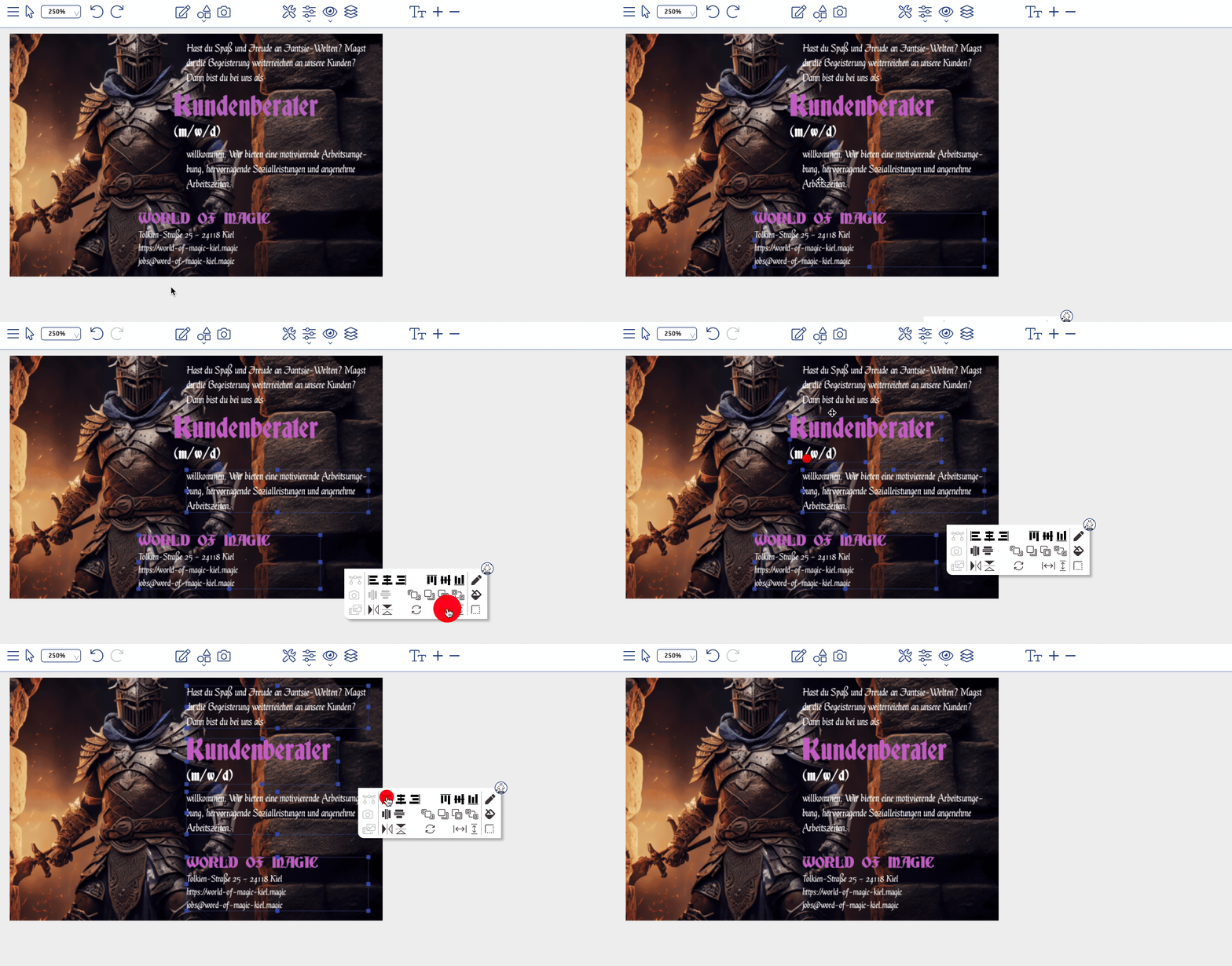
Our tools let you align graphic objects horizontally and vertically to the ad frame or to other objects. If you select a single graphic object, it aligns automatically to the frame of the ad. Select several objects and they are aligned relative to one another.
The »Align« dialogue lets you define the exact kind of alignment. A selected object can be aligned vertically to the top edge, the centre or the bottom edge, and horizontally to the left, centre or right. These alignment functions are also available without further settings in the floating toolbox for graphic objects and via the object palette. In the following example the lower text frame is first matched to the size of the other text frames. In the second step all text frames are selected and aligned flush left with the first one.
Distribute and mirror
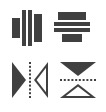
The distribute function arranges objects evenly along an axis, which produces balanced and attractive layouts. Stylo offers a floating toolbox for quick distribution and a context-menu option for precise spacing.
The mirror function flips images, graphic objects and text frames horizontally or vertically to achieve creative effects. With text frames it is the alignment that is adjusted rather than the text itself.
Resizing in a moment
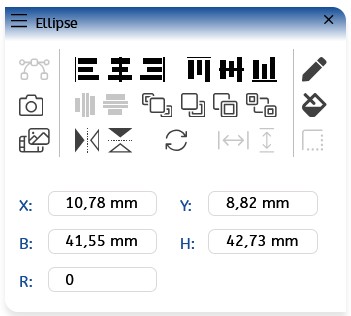
Size and position of objects can be adjusted flexibly - either directly with the mouse, via a clearly laid out palette or through a dialogue window. Changes can be applied to a single object or to several selected objects at once. Rulers and guides are available as practical aids for precise alignment.
Transparency
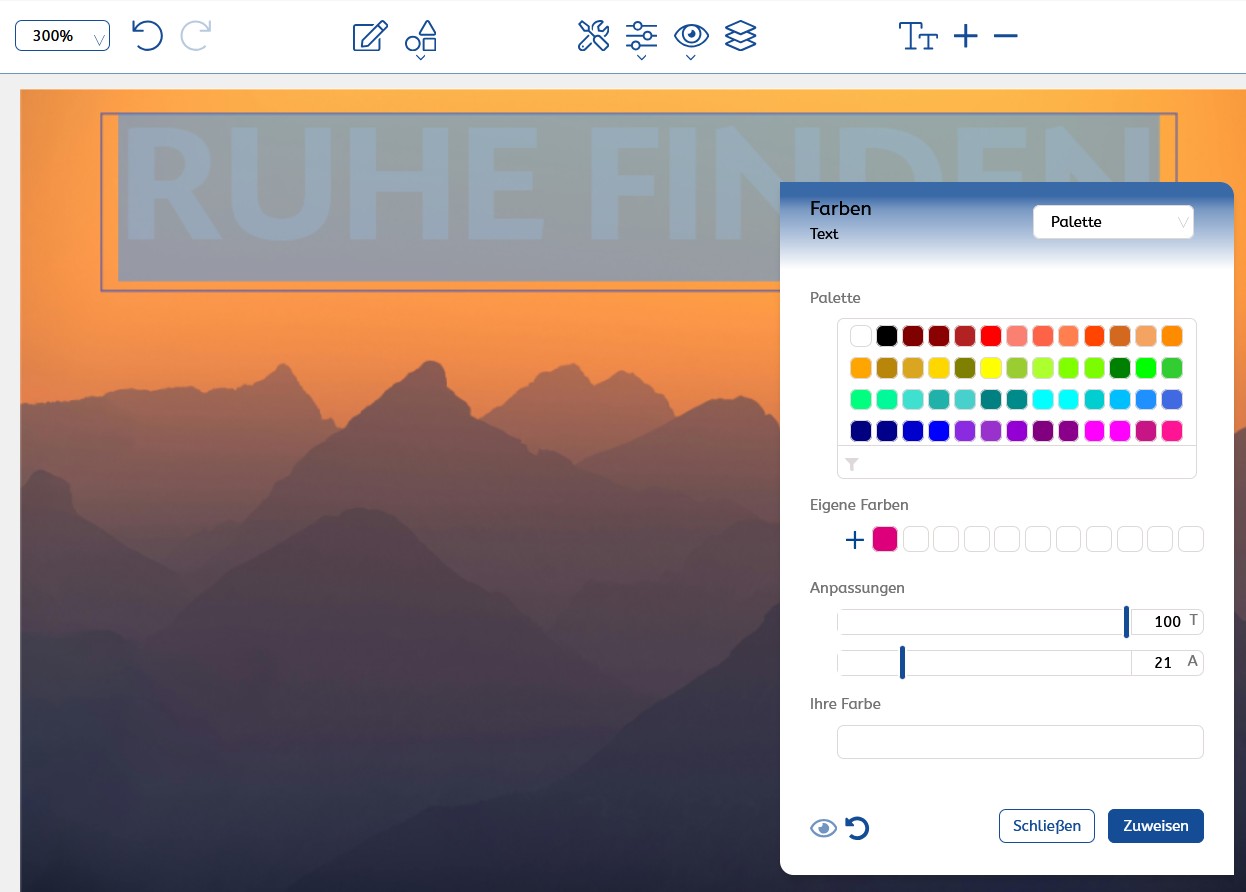
The transparency of objects in Stylo is controlled simply through the alpha value in the colour dialogue. A slider adjusts opacity continuously from 0% (fully transparent) to 100% (fully opaque), or you can enter the required transparency value directly. The setting affects the visibility of elements underneath; frames remain unaffected and always keep their full opacity.
On another level ... layers
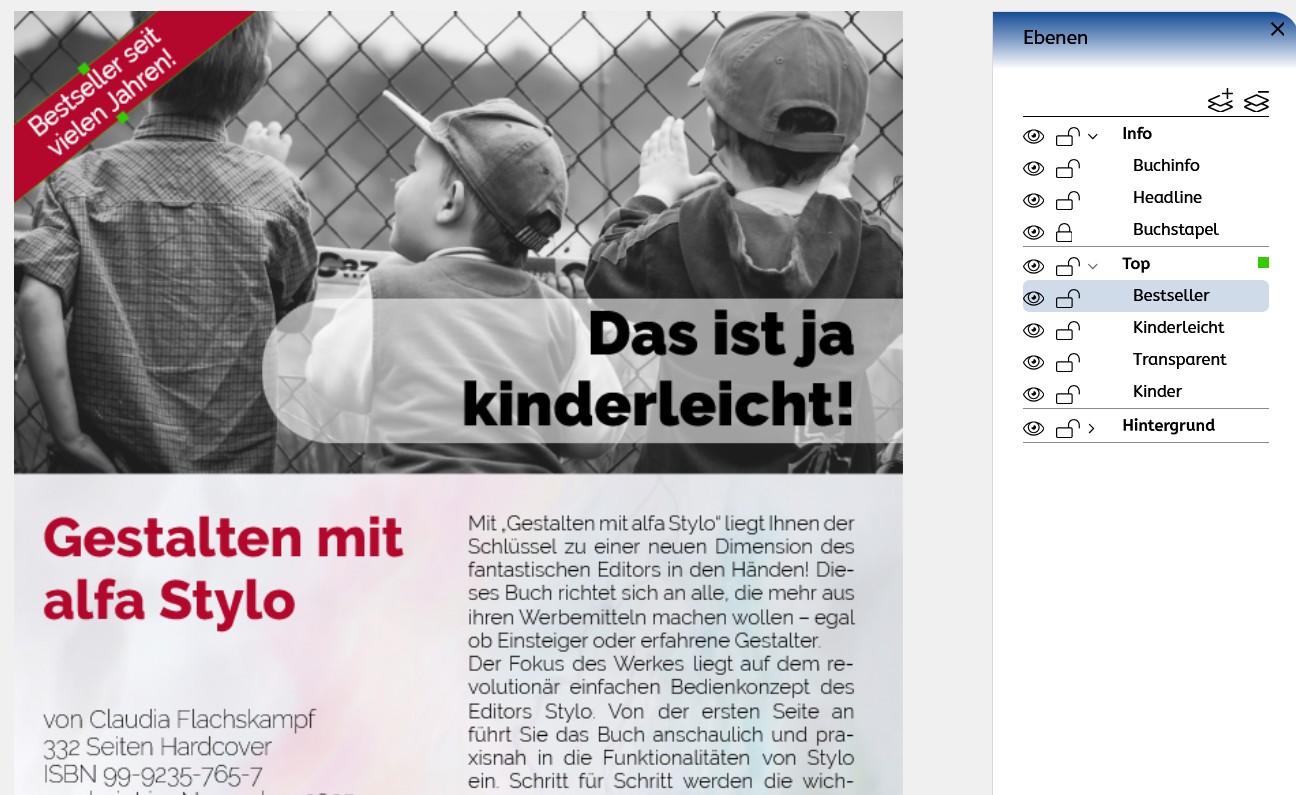
Layers bring order and clarity to a document. You can create as many as you like, so the structure stays flexible. Protection and visibility can be set individually for single layers or for specific selected objects. That keeps content safe from unintended changes and lets you show or hide it deliberately. Layers also make it easier to find elements in the document quickly and edit exactly the ones you mean.
Learn more
You might also be interested in
Stylo in use
Arrange a consultation →
From draft to finished ad.
Interactive, digital or for print: Stylo brings every tool for ad design together in one editor.